
HI3D vs Hunyuan3D: which image-to-3D model to run on a product photo
Both turn one photo into a GLB mesh, and neither reads a prompt on the image path. Hunyuan3D is the quick draft, from 600 credits, and the only one with text-to-3D. HI3D takes up to four views of the object and runs from 850 to 10,370 credits, whatever you switch on.
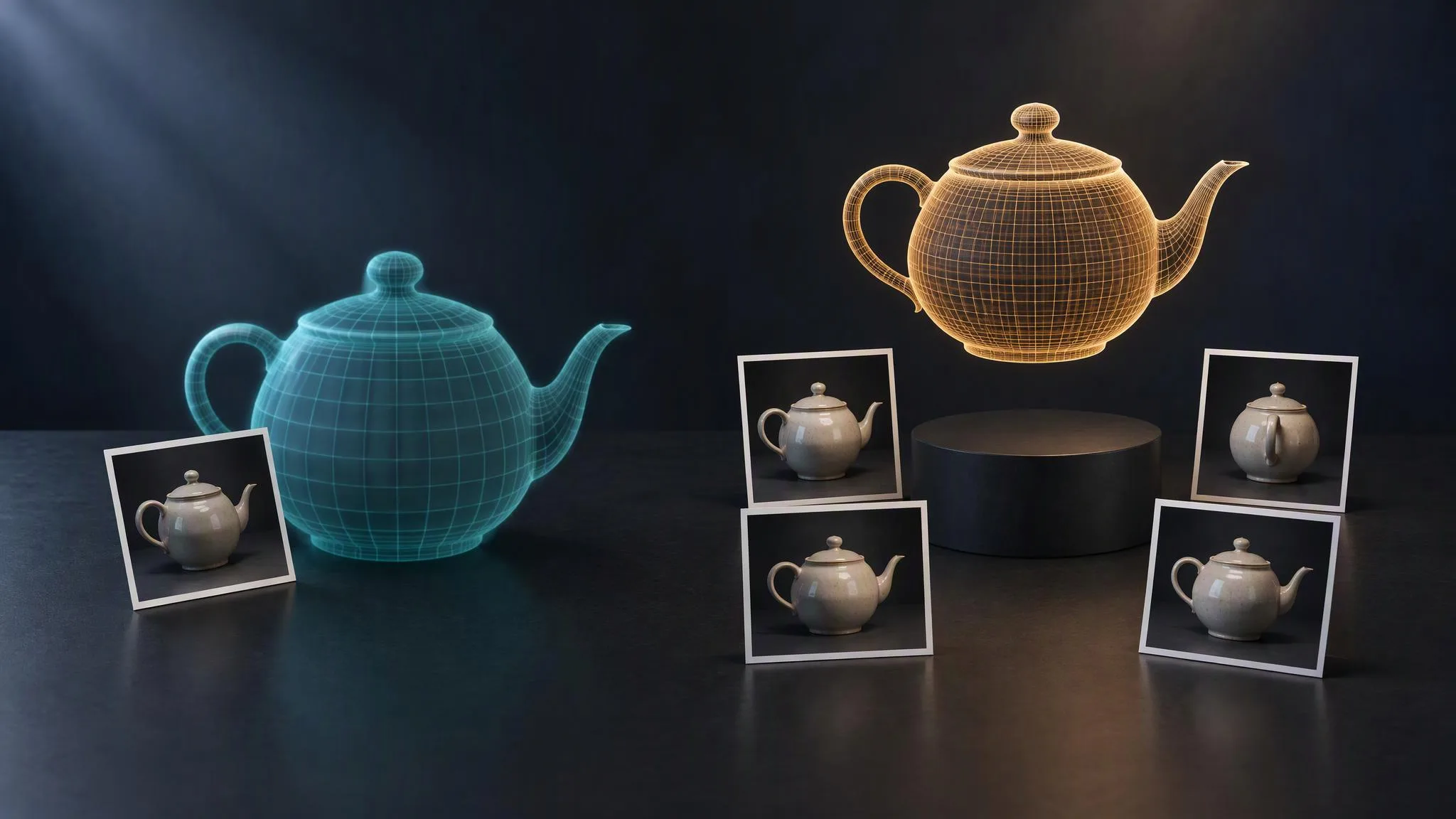
LUVI's 3D catalog now holds two families: Hunyuan3D from Tencent and HI3D from Math Magic. Both turn a photograph into a textured GLB mesh, and both ignore text on the image path, so the choice between them is about inputs, controls, time and price rather than prompting. As of October 20, 2026, a Hunyuan3D mesh starts at 600 credits and an HI3D mesh at 850. How to prepare the photo is covered in our Hunyuan3D guide; this post compares the two families.
What does each family offer on LUVI?
HI3D offers four image-to-3D tiers and nothing else; Hunyuan3D offers two tiers, each with an image mode and a text mode.
- HI3D v2.1 Fast and v2.1 Pro reconstruct at 1536³. Pro is the same geometry model with a longer refinement pass.
- HI3D v3.0 Quality reconstructs at 2048³. LUVI's model description says it resolves "thin structures, sharp edges and surface detail" that the 1536³ tiers smooth over.
- HI3D v3.0 Master is the top tier: 2048³ with a five-million-face budget, meant for hero assets and 3D printing.
- Hunyuan3D Rapid and Pro each come as image-to-3D and text-to-3D. If you have no photo at all, Hunyuan3D is the only family that can start from a sentence.
How many photos can each one take?
HI3D takes up to four views of the same object; Hunyuan3D takes exactly one image. On HI3D, the object image is required and up to three extra views are optional. Hi3D's own documentation says that for multi-view input "the front view is required" and recommends adding back, left and right views "for a more detailed and complete 3D model."
That is the clearest practical difference. If you can shoot the product from four sides, HI3D gets to see the back instead of guessing it. If all you have is one catalog shot, the two families start from the same information.
What can you control?
Each family exposes different settings on LUVI.
HI3D (all four tiers):
- Remove Background, on by default. Turn it off only for images that are already cut out.
- De-lighting, from 0 to 1, default 0.5. It sets how strongly the lighting baked into the photo is removed before it becomes texture.
- PBR Materials, on by default. It adds metallic, roughness and normal maps.
- Generate Textures, on by default. Off gives a bare, untextured mesh.
The output is GLB. HI3D's API can also set a target polygon count, but LUVI doesn't expose one: the tier sets the detail.
Hunyuan3D:
generate_type(Pro):Normalfor a textured model,Geometryfor an untextured white model.enable_pbr, off by default on both tiers. Turning it on adds metallic, roughness and normal maps and costs more.face_count(Pro): 40,000 to 1,500,000. Setting it adds a surcharge, and the surcharge is the same whatever value you enter.format(Rapid): GLB, or MP4 for a turntable video instead of a mesh. Tencent's API offers more formats, but LUVI keeps only these two because the others produced files the library couldn't open.
What does each one cost?
Both families price per generation, and only Hunyuan3D's settings move the price. Checked on October 20, 2026:
- HI3D v2.1 Fast: 850 credits
- HI3D v2.1 Pro: 1,530 credits
- HI3D v3.0 Quality: 2,210 credits
- HI3D v3.0 Master: 10,370 credits
- Hunyuan3D Rapid: 600 credits, or 1,000 with PBR
- Hunyuan3D Pro (
Normal): 1,000 credits, 1,400 with PBR, 1,800 with PBR and a face count
On HI3D, switching textures or PBR off, or adding extra views, doesn't change the quote. So on HI3D, leave PBR on unless your pipeline can't use the maps.
How long does a mesh take?
HI3D is the slow family by design. LUVI's model descriptions give about 7 to 10 minutes for v2.1 Fast and v3.0 Quality, and "tens of minutes, up to about 80" for v3.0 Master. The two completed HI3D v2.1 Fast jobs in our logs took 8 and 10 minutes. The most recent Hunyuan3D Rapid image-to-3D job took 68 seconds. That's one run, not a benchmark, but the gap is wide enough to plan around.
Which one should I pick?
- One photo, quick look: Hunyuan3D Rapid. It's the cheapest textured mesh in the catalog, and the last Rapid job in our logs came back in 68 seconds.
- No photo, only an idea: Hunyuan3D text-to-3D. It's the only text path.
- You can shoot the back and sides: HI3D v2.1 Fast. It's the cheapest way to give the model real views instead of guesses.
- Fine edges, thin parts, engraved detail: HI3D v3.0 Quality.
- A print or a hero asset where the mesh is the deliverable: HI3D v3.0 Master. Expect to wait.
- A polygon budget for a game or AR: Hunyuan3D Pro with
face_count. HI3D on LUVI has no face-count setting.
How we checked
- Models: HI3D v2.1 Fast, v2.1 Pro, v3.0 Quality and v3.0 Master (image-to-3D); Hunyuan3D Rapid and Pro (image-to-3D).
- What was read: each model's parameter contract and credit quote in LUVI, the public model pages, LUVI's pricing code for both families, and the vendor documentation listed below. Timings are from LUVI's own job records.
- Date: October 20, 2026.
- Results: the prices above. Every listed setting was quoted, and the default prices match the public model pages.
- Drawbacks: No outputs were generated for this post, so it makes no claim about output quality. The time figures come from three completed jobs and LUVI's descriptions, not from a benchmark.
In LUVI
Search the model picker for "3D", drop the photo into the object slot and read the quote before you press Generate. The result opens in the 3D viewer, where you can spin it, change the lighting and download it as a GLB. If you're comparing families on the same product, run Hunyuan3D Rapid first: at 600 credits it tells you whether the photo itself is good enough before you spend 850 or more on HI3D.
New accounts start with 100 credits, and verifying a phone and a card adds up to 1,500 more. Create a LUVI account and try both families on the same photo.
Sources
- Hi3D API introduction — Hi3D (Math Magic), developer documentation. Accessed October 20, 2026.
- Hi3D API FAQ — Hi3D (Math Magic), developer documentation. Accessed October 20, 2026.
- SubmitHunyuanTo3DRapidJob — Tencent Cloud, API reference. Accessed October 20, 2026.
More from Comparisons
- Can AI video models read your language? Prompt and dialogue languages, model by modelMost AI video and image models read English best, and several say so outright: Veo and Gemini Omni are documented for English, Wan and Qwen-Image for English and Chinese. What characters can speak is a separate list per family. Here is both, for every family on LUVI.
- GPT Image 2.5 Flare vs Sunburst: same price, same settings—so what actually differs?On LUVI, GPT Image 2.5 Flare and Sunburst share every setting and quote the same credits at every tier, from 30 an image. What differs is time and judgement: Flare finished faster in LUVI's log, Sunburst read layout intent better in our tests. Pick by the job.
- Nano Banana, 2, 2.1 or Pro: which of the eleven Nano Banana models should you pick?LUVI lists eleven Nano Banana models across four generations, from 76 to 400 credits. Nano Banana 2.1 is the everyday choice at 80; Pro is for five faces from photos or a style reference; Pro Ultra is the 4k and 8k specialist and, at 4k, costs less than regular Pro.