
Which image model should write the words? Four families, four different asks
Four image families in the LUVI catalog can put real words in a picture, and each wants the request shaped differently: a surface, a hierarchy, a spatial constraint, or a position and a treatment. Prices run from 30 to 144 credits an image.
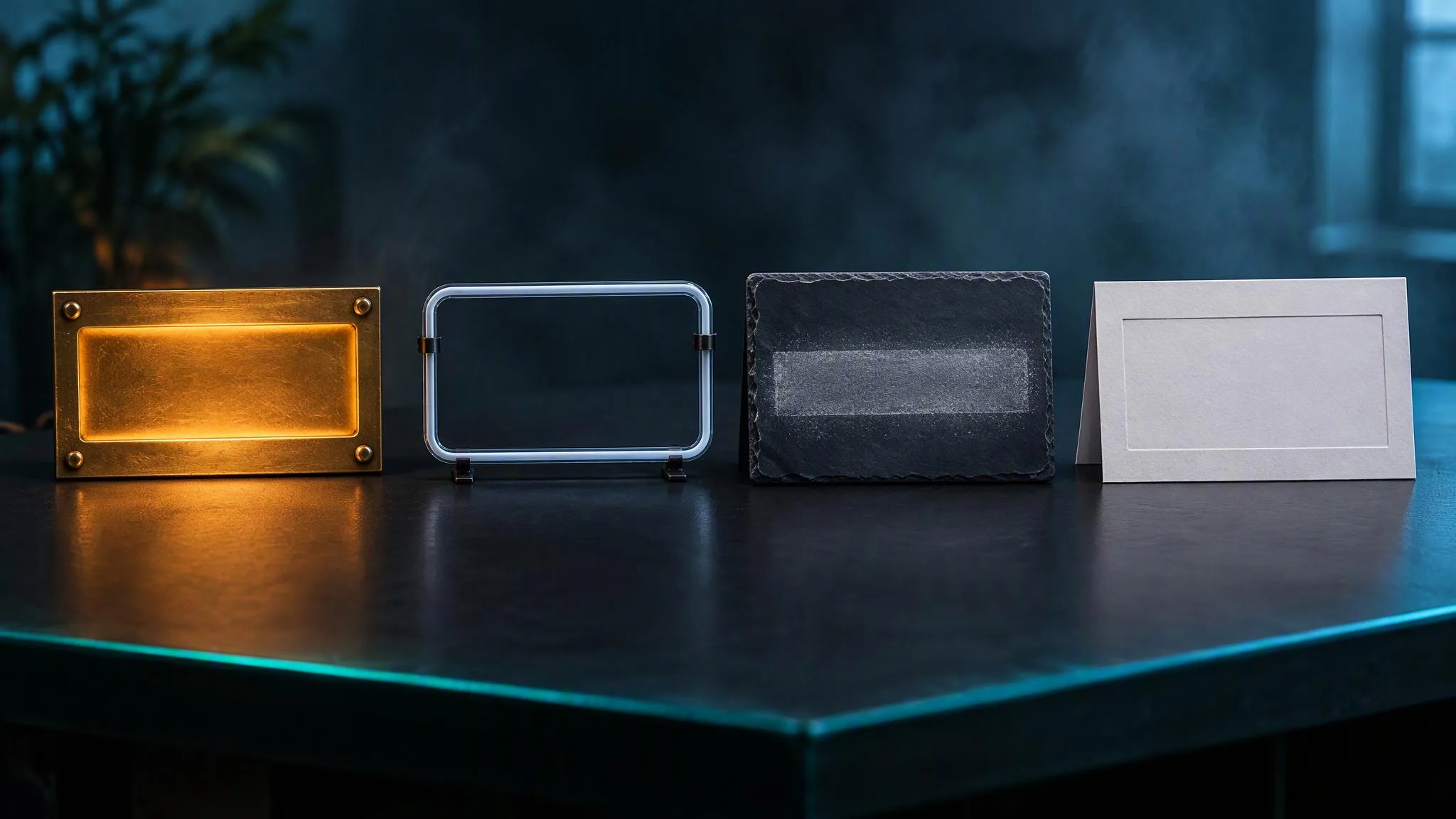
Getting a headline, a label or a sign to come out spelled right is the request that separates image models most sharply. Four families in the LUVI catalog handle it well, and the interesting part is that they do not want the same sentence. On September 22, 2026 a single image quoted 30 credits on GPT Image 2.5 Flare at its medium tier, 105 on Qwen Image Max, 120 on Grok Imagine Image 2.0 and 144 on Seedream 5.0 Pro. Here is what each one is actually asking you for.
Seedream: give the words a surface
Seedream treats typography as a signature strength, and its guide asks for something the others don't: a physical thing the copy is written on. "Neon sign reading…", "engraved brass plate", "handwritten chalk"—the surface comes first, then the type is specced like a designer would spec it, with character, weight, case, color and a grid position.
Two rules go with it. Copy goes in double quotes in the target script—actual glyphs, never romanized—and unquoted text renders as the idea of a sign rather than the words themselves. And each line stays at roughly three to five words.
Qwen-Image: give the words a position and a treatment
Qwen-Image is built around multi-line, bilingual text, and its ask is the most mechanical of the four: quote the string, say where it sits, say how it looks. "A dark blue sign reads "Il Messaggero" in white Gothic lettering, top-left" is the whole pattern.
Spatial relationships are read literally here, which is why "center-right" and "top third" do real work. The family's limit is language: Alibaba's documentation says the model supports Simplified Chinese and English, and that other languages can be tried without a guarantee.
Grok Imagine Image 2.0: give the words a hierarchy
Image 2.0 plans layout, so it wants levels rather than positions. Name the artefact—concert poster, cereal box, app onboarding screen—and then describe the hierarchy: a large headline, a subhead half its size, a four-line credit block at the base.
It has a quirk worth planning around. Capitalizing the quoted literal is what makes the model treat it as content to render, and the side effect is that it tends to set the type in caps. When mixed case matters, quote it without capitals.
GPT Image 2.5: keep the blocks few and fence the phantoms
GPT Image 2.5 takes quoted copy or ALL CAPS, and then wants the type described as a separate spatial constraint rather than bundled into the same phrase. Its two practical limits are different from the others': keep each text zone to five words or fewer, and keep the number of blocks small, because multiple text blocks in one frame tend to merge into each other.
It also benefits from an explicit fence against invented lettering—"no other visible words, no random letters, no duplicate text"—and from asserting the single instance: render the tagline exactly once.
So which one?
Match the ask to the job rather than the price.
- A sign, a plate, a shopfront—text that belongs to an object. Seedream, because the surface is how you address it.
- Several strings placed precisely in one frame. Qwen-Image, because position is read literally and it handles multi-line text natively.
- A poster, a cover, a packaging front—text that is the design. Grok Imagine Image 2.0, because it builds the hierarchy for you.
- One short line in an otherwise photographic image. GPT Image 2.5, cheapest of the four at the medium tier, provided you keep the blocks few.
One more consideration sits outside the text question: the edit models. If the words have to change on a picture that already exists, Qwen-Image writes the replacement as an operation with both strings quoted, and GPT Image 2.5 wants the change batched with an explicit preserve list. Both are cheaper than regenerating the frame from scratch and getting a different composition.
How we checked
- Models: Seedream 5.0 Pro, Qwen Image Max, Grok Imagine Image 2.0 and GPT Image 2.5 Flare, all text-to-image.
- Settings: one image at each model's default size, at the default quality tier.
- Date and what was read: September 22, 2026—live credit quotes and the models' parameter contracts in LUVI, LUVI's own prompting guides for the four families, and Alibaba Cloud's Qwen-Image documentation for the language limit.
- Results: 30 credits on GPT Image 2.5 Flare at medium, 105 on Qwen Image Max, 120 on Grok Imagine Image 2.0 and 144 on Seedream 5.0 Pro. No outputs were generated for this post, so it makes no claim about output quality.
- Drawbacks: this compares what each family asks for, not how often each one spells a word correctly. That would take a controlled test with the same copy across all four, which we have not run.
In LUVI
Pick the family by the shape of the job, then let the feather button beside the prompt box rewrite your text in that family's dialect—it is the fastest way to see how differently the same request has to be phrased. The models page lists the current prices for each, and when a negative prompt exists matters here too, because only some of these four have one.
New accounts start with 200 credits, and verifying a phone and a card adds up to 1,500 more. You can create a LUVI account and settle it on your own copy.
More from Comparisons
- Suno v6 vs v6 mini vs v6 wild: same settings, same price, three different enginesOn LUVI, Suno v6, v6 mini and v6 wild take the same eleven settings and cost the same 264 credits for two takes. The only thing you choose is the engine: v6 for polish, v6 mini for fast drafts, v6 wild for less predictable ideas.
- Higgsfield alternatives: what to compare before you switchThe closest Higgsfield alternatives are other multi-model platforms: Krea, Magnific (formerly Freepik AI), OpenArt, Pollo AI and LUVI Creator. All five list Veo 3.1 and Seedance 2.5. They differ on Kling 4.0, models tied to a plan, prices shown before a run and how they work with Claude or ChatGPT.
- Kling, Veo and Seedance on one subscription: which platforms carry all three, and which versionsHiggsfield, Krea, Magnific (formerly Freepik), OpenArt, Pollo AI and LUVI Creator all list Kling, Veo, Seedance and Nano Banana under one account. They differ in the exact versions (LUVI has no Kling 4.0), in whether a plan limits which models you can use, and in how each run is priced.